
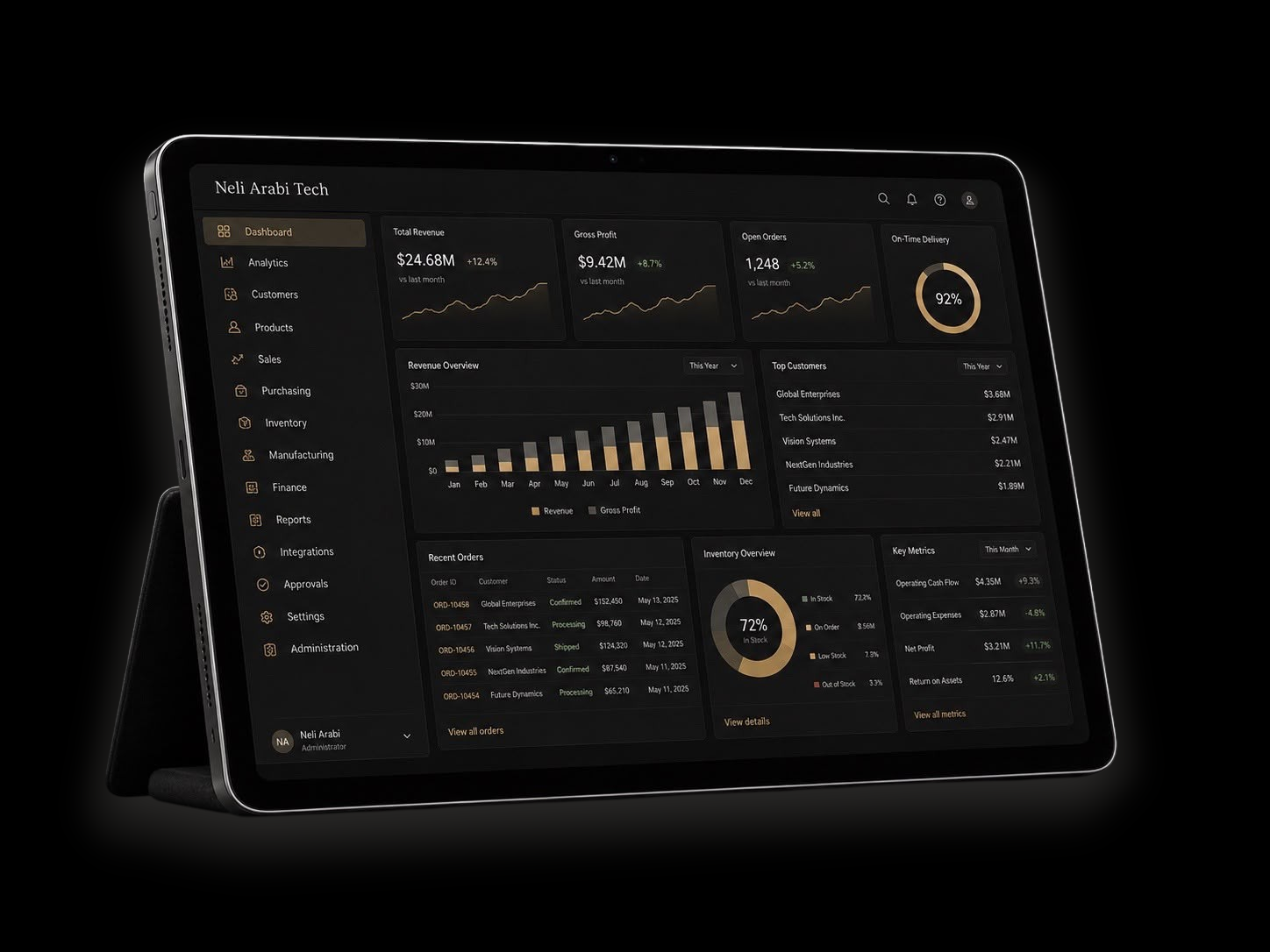
Private Enterprise Operations ERP Platform

Control multi-entity operations, business records and workflow data in one private ERP environment.

A private modular Enterprise Operations ERP platform for coordinating company records, workflows and business data. Explore the scope below and request a review of your requirements.

Multi-Entity
Control

Customer, Partner &
Supplier Records

Product Data &
Asset Records

Workflow
Architecture

Orders & Purchasing
Processes

API / CSV Data
Processes

Reporting
Views

Custom Module
Review

Private License
Evaluation

Who is this platform for?

For companies coordinating records and approvals across separate tools. Start with the areas your teams need to connect:

  • Company structures, teams and responsibilities
  • Customer, partner and supplier records
  • Product, service and asset information
  • Orders, approvals and operational workflows
  • Files, reports and external system connections

Which problems need attention?

Identify where disconnected information creates extra work. Use these points to set priorities for your review:

What should you bring to the review?

Bring one difficult process and explain how it works today. Describe the people, records and systems involved:

Overview Image

Platform overview

The platform scope covers company structures, business records, operational workflows, files, reporting and integration planning. The sections below explain each area.

Available functionality, adaptations and additional modules are assessed against your requirements during private technical scoping.

OR/VELYNT

Product & catalogue data services

Understand your product data.
Plan your next step.

Missing values, duplicate identifiers and inconsistent units make product data harder to use. ORVELYNT offers defined services to assess source data, review an existing result, plan mappings or transform files using approved rules.

Explore each service's scope, deliverables and published price. Services are provided by Neli Arabi GmbH.

Worked example Invented product data

Every input row has an outcome.

5Source rows
2Result rows
3Rows held for review
Source weight0.4 kgResult weight400 g

Two valid rows are converted from kilograms to grams. One invalid weight and two rows with the same identifier are kept separately for review.

Illustrative excerpt using invented data. Not a customer result or a complete commissioned delivery.


Core operational areas

Image 1

Enterprise Structure & Governance

Coordinate company structures, teams, roles and permissions in a private environment.

Image 2

Customer, Partner & Supplier Records

Organize customer, partner and supplier relationships with their associated business records and contact information.

Image 3

Product, Service & Asset Records

Structure products, services and assets with categories, attributes and data fields.

Image 4

Orders, Purchasing & Workflow Control

Coordinate requests, approvals, orders and purchasing, including service and project workflows.

Image 5

Data Mapping, API & CSV Layer

Review data mapping, file imports, CSV workflows and external system connections.

Image 6

Reporting & Management Visibility

Organize operational information into reporting views for management and teams, based on their roles and responsibilities.

Image 7

Private Access & Data Separation

Review who can access each part of the environment and how records are separated.

Image 8

Custom Module Review

Assess specialized workflows and module requirements that fall outside the standard areas during a private technical review.

Detailed scope checklist

Use this detailed checklist to identify the areas you want to discuss. Availability, adaptations and delivery scope require assessment.

1. Company & Governance

2. Customers, Accounts, Suppliers & Partners

3. Products, Services, Assets & Product Data

4. Orders, Requests, Purchasing & Workflows

5. Inventory, Stock & Resource Data

6. Files, Data Mapping & CSV Processes

7. Integrations & API Direction

8. Custom Modules, Reporting & Commercial Scope

Access, data separation and responsibilities

Access and separation are reviewed for each proposed environment, including business records, files and operational configurations.

Deployment and license discussions also address technical responsibility, data handling and permitted commercial use.

Software rights are reviewed separately from private business data. Company, customer and supplier records, credentials and confidential configurations are not presented as transferable commercial assets.

What the technical assessment covers

The assessment compares your intended use and technical requirements with the proposed platform scope:

Business contexts for review

The following examples can help you identify your business context. Suitability depends on your requirements and the reviewed scope.

Image 10

1. Product & Commerce Operations

Product and collection records, supplier data, stock processes and sales-channel operations.

Image 11

2. Wholesale, Distribution & Supply Operations

Supplier coordination, purchasing, inventory records and order flows.

Image 12

3. Supplier Management & Product Data Operations

Supplier profiles, product attributes and file-based import/export processes.

Image 10

4. Multi-Company Groups

Coordination across entities, brands, teams, departments and locations.

Image 10

5. Service & Project Operations

Client work, service requests, project documentation and operational approvals.

Image 10

6. Agencies & Implementation Partners

Internal use, client-facing adaptation or a partner model, subject to review.

Image 10

7. Software & License Partners

Private use, white-label adaptation or broader software licensing discussions.

Image 10

8. Custom Operational Environments

Specialized workflows or tailored modules requiring private technical assessment.

Principles for your platform review

Use the principles below to assess the proposed environment against your priorities.

The focus is on operational structure: connected records, clear access responsibilities and useful reporting.

Available functionality, required adaptations and commercial terms are assessed for your proposed scope.

Private B2B
Infrastructure

Controlled
Access

Structured Data
Separation

Integration
Direction

Reporting &
Visibility

Scalable for
Business Growth

Private use and commercial review options

The main route is a review for your own company’s internal use.

Selected partner and technology arrangements may be considered separately after qualification.

1. Private Enterprise Use

Review the platform for your company’s internal records, workflows and reporting, with scope and responsibilities agreed privately.

2. Paid Pilot / Commercial Edition Review

Discuss a paid pilot, implementation scope or Commercial Edition before a broader commitment.

3. White-Label Partner Review

Assess a partner model or client-facing adaptation for an agency, integrator or software company.

4. Technology / Source Code Review

For technically capable buyers considering independent operation, adaptation or extension under reviewed terms.

5. Strategic Rights Review

Discuss broader rights, sector-specific adaptation, exclusive use cases or long-term technology arrangements.

Pricing, license rights, delivery scope and implementation responsibilities are discussed privately after business fit review.

How the private review works

Describe your company and one operational problem. Your inquiry is stored and sent to our contact team for business fit assessment and discussion of the next step.

Further discussions may use a non-disclosure agreement (NDA). Technical scope and any pilot, partner or license terms are reviewed privately.

1
Submit private inquiry

2
Business fit assessment

3
Introductory call

4
NDA if required

5
Private platform overview

6
Technical and operational scoping

7
Commercial partner or license review

Request Private Platform Review

Describe your company, your main operational problem and the review you are interested in. Add your requirements and questions in the message field.

Select one or more. Choose “Not sure yet” on its own. On a keyboard, hold Ctrl (Windows) or Command (Mac) to select multiple options.

Select one or more. Choose “Not sure yet” on its own. On a keyboard, hold Ctrl (Windows) or Command (Mac) to select multiple options.

Select the areas you would like to discuss. Availability, readiness and delivery scope require assessment; this is not an offer of ready-to-use software.

All requests are reviewed before further information is shared.